
aixsam.dev / tools / FreeLLMAPI
FreeLLMAPI
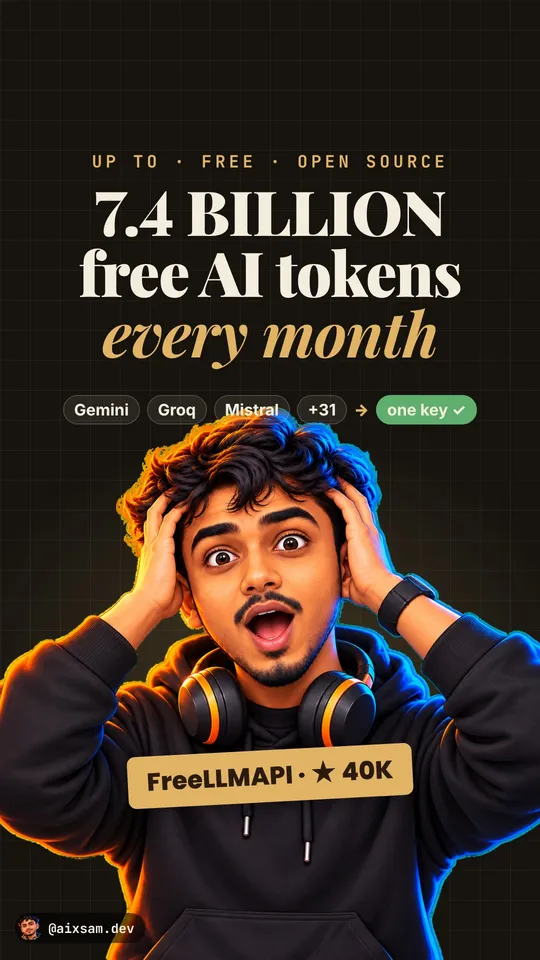
Every AI company gives you a small free plan. FreeLLMAPI stacks the free plans of 34 providers behind one key on your own computer, and when one model hits its limit it moves to the next free one by itself. Free, open source, MIT.
What is FreeLLMAPI?
FreeLLMAPI is a free, open-source (MIT) app by Tashfeen Ahmed that collects the free plans of 34 AI providers (Google Gemini, Groq, Mistral, OpenRouter, Cerebras and more) and puts them behind one OpenAI-compatible key that runs on your own computer.
On its own, each free plan is small: a few million tokens a month or a few thousand requests a day. Stacked together, the README puts them at roughly 7.4 billion tokens a month across 635 free model endpoints, if you add every provider. Your app sends a request to one address, and the router picks a free model that still has room; on a rate limit it moves to the next one by itself.
Your provider keys are stored encrypted on your machine, and your apps only ever see a single freellmapi- key. The core app is free; an optional $19/year premium only gets new models into the catalog sooner.
What FreeLLMAPI can do
- One key for many AIs add free keys from as many providers as you like; your apps use one.
- Auto switch a model hits its free limit (a 429 error), and it retries the next model in your chain.
- Works with your apps anything that takes an OpenAI base URL, plus Claude Code, Cursor, Cline, Codex CLI and Aider.
- Dashboard manage keys, drag the fallback order, try prompts in a playground and see your monthly token budget.
- Desktop app Mac and Windows, lives in the tray, no account or password to set up.
- More than chat embeddings, images and speech go through the same key where a free provider offers them.
What you need
- A computer with Windows or macOS 12 or newer.
- A Google account for the first free key. Other providers are optional.
- About 20–30 minutes. No coding needed for the setup.
Setup, step by stepcopy each command with the button on the right
Download the app
Open the latest release page and scroll down to Assets.
Windows: download the file that ends in
.exe. Mac: download arm64 if your Mac has an Apple chip (M1–M4), or x64 for an older Intel Mac.Install it like any app
Open the file you downloaded. If Windows shows a blue "Windows protected your PC" box, click More info, then Run anyway (only for the file from the official release page).
The app now runs quietly in your system tray (bottom right on Windows, near the clock) or the menu bar (top right on Mac). There's no username or password to make.
Open the dashboard
Click the FreeLLMAPI icon in the tray / menu bar, then Open Dashboard. Your browser opens it at:
http://127.0.0.1:31415This page only exists on your own computer.
Google Gemini (start here)
Go to aistudio.google.com/apikey, sign in with Google, click Create API key and copy it.
Groq (very fast)
Go to console.groq.com/keys, sign up free, click Create API Key, give it any name and copy it.
OpenRouter (many free models)
Go to openrouter.ai/keys, sign up free, click Create Key and copy it.
Mistral
Go to console.mistral.ai/api-keys, sign up, choose the free plan if it asks, then create a key and copy it.
The full list of 34 providers, with each one's free limits, is at freellmapi.co/models.
Add your keys
In the dashboard, open the Keys page. Choose the provider (for example Google), paste the key you copied, and save. Do the same for every key.
Pick the order (optional)
In Fallback Chain, drag the providers into the order you like. The first one is used first; when its free limit is reached, the next one takes over.
Copy your one key
Click the tray icon, then Copy Key (it's also at the top of the Keys page). It starts with
freellmapi-. This is the only key your apps need now.
Point your app at it
Any app or tool with a "custom OpenAI base URL" setting works. Use these three values:
Base URL: http://127.0.0.1:31415/v1 API key: freellmapi-your-key Model: autoautolets it pick a free model;auto:fastpicks a fast one andauto:smarta smarter one. Installed the server with Docker instead? Your base URL ishttp://localhost:3001/v1.Test it with Python (optional)
Install Python, then:
pip install openaiSave this as
test.pywith your own key, then runpython test.py:from openai import OpenAI client = OpenAI( base_url="http://127.0.0.1:31415/v1", api_key="freellmapi-your-key-here", ) reply = client.chat.completions.create( model="auto", messages=[{"role": "user", "content": "Explain what an API is in 3 simple lines."}], ) print(reply.choices[0].message.content)If you see an answer, it works. Every reply also says which provider answered it (the
X-Routed-Viaheader).
Heads up: the tokens come from each company's own free plan, so you still sign up with each one, and their limits can change any time. The ~7.4 billion tokens a month is the total only if you add every provider. The newest paid GPT and Claude models are not included; you get open and fast models like Gemini, Llama, Qwen and DeepSeek. The project says it's for personal experimentation and learning, not production. Never post your keys in a video, screenshot or public file.
Stuck?
"Windows protected your PC" warning
Click More info, then Run anyway, but only for the file you downloaded from the official release page.
The dashboard doesn't open
Make sure the app is running (look for the icon in the tray or menu bar), then click Open Dashboard again.
"Rate limit" or slow answers
That provider's free limit is used up. Add more free keys on the Keys page so it has more models to switch to. Quality can dip late in the day as top models hit their daily caps; they reset at midnight UTC.
An app says "invalid key"
Use your freellmapi- key, not the Google or Groq key, and check the base URL ends in /v1. Copy keys again with no extra spaces.
Questions people ask
Is FreeLLMAPI really free?
The app is free and MIT licensed, and the tokens come from each provider's own free plan. A $19/year premium is optional; it only gets new models sooner (free installs get them about 30 days later).
Do I get GPT-4 or Claude for free?
No. The newest paid GPT and Claude models aren't among the free providers. You get open and fast models like Gemini, Llama, Qwen, DeepSeek and Mistral. Claude Code can still run on top of your free pool.
Will I really get 7.4 billion tokens?
Only if you add a key from every provider. Start with 2 or 3 and you'll have less; each provider's limits can also change without notice.
Can I use it for my business?
The project says it's for personal experimentation and learning, not production. Free plans have no guarantee, and each provider's terms still apply. Swap in a paid API before you ship anything real.
Are my keys safe?
They stay on your computer, encrypted, and are decrypted only in memory per request. Never paste them in a video, screenshot or public file.
Still stuck?
DM me on Instagram with a screenshot of the error and which step you're on.
DM @aixsamdev