
aixsam.dev / tools / voicebox
Voicebox
A free AI voice studio on your own computer: clone a voice from a short sample, generate speech in 23 languages, and dictate into any app.
What is Voicebox?
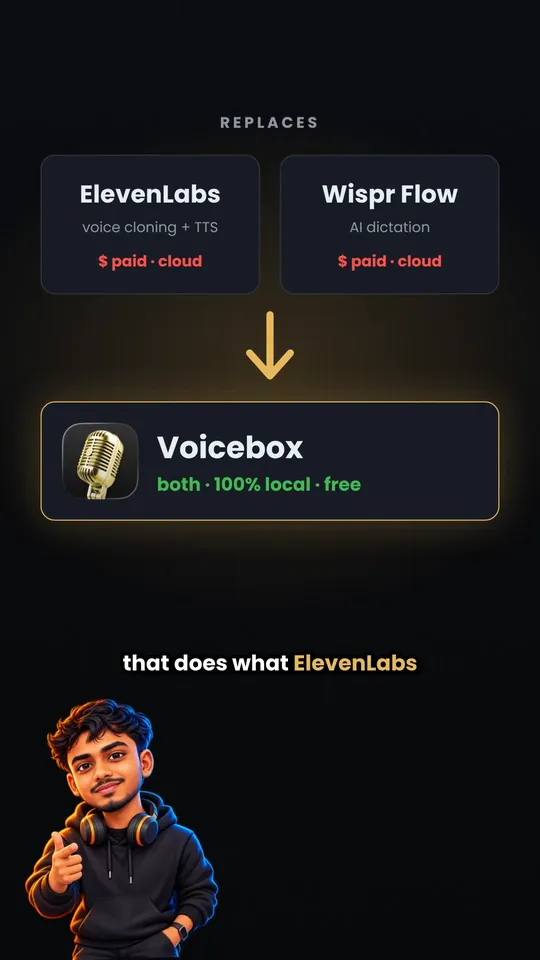
Voicebox is a free, open-source AI voice studio by Jamie Pine that runs on your own computer. It does the job of a voice-cloning service and a dictation app in one: clone a voice from a few seconds of audio, turn text into speech, and dictate into any app with a hotkey.
Everything stays on your machine: the models, your voice samples and your recordings never leave it. It's built with Tauri (Rust), not Electron, and runs on Apple Silicon (MLX/Metal), Windows (CUDA), AMD and Intel graphics, or Docker.
It includes eight speech engines you can switch between per generation, and an MCP server, so AI agents like Claude Code can talk back to you in a voice you made.
What Voicebox can do
- Clone a voice zero-shot from a short sample, or pick from 50+ preset voices.
- 23 languages from English to Hindi, Arabic, Japanese and Swahili; which ones you get depends on the engine you pick.
- Long scripts auto-chunking with crossfades for articles, chapters and full scripts.
- Stories editor a multi-track timeline for podcasts, conversations and narration.
- Expressive speech tags like [laugh] and [sigh] with Chatterbox Turbo, or describe a voice in words with Qwen VoiceDesign.
- Dictation a global push-to-talk hotkey that types what you say into any text field (Whisper-based).
- Effects and API pitch, reverb, compression and more; a REST API and MCP server for your own apps and agents.
What you need
- A Mac (Apple Silicon or Intel) or a Windows PC. Linux has to build from source for now.
- A 10–30 second clean recording of the voice you want to clone (or record it in the app).
Setup, step by stepcopy each command with the button on the right
Download the app
Linux: follow voicebox.sh/linux-install.
Create a voice
Open Voicebox → Voices → + New Voice. Give it a name and language, then upload a 10–30s clip (WAV, MP3 or M4A) or press Record Sample. Click Create Profile.
Clean audio with no background noise gives the best clone.
Generate speech
Go to Generate, pick your voice, type your text and press Generate. Then Play or Download.
The first run is slower because it loads the model. After that it's quick.
Extras worth trying
- Stories: a timeline for podcasts and multi-voice scenes.
- Dictation: hold a hotkey anywhere, speak, and the text is typed for you.
- Tags like
[laugh]and[sigh]work with the Chatterbox Turbo engine.
Try this first
Heads up: Only clone voices you have permission to use: your own, or someone who agreed.
Stuck?
Install, model download or GPU problems
See the official troubleshooting guide.
Can I run it in Docker?
Yes: clone the repo and run docker compose up.
Questions people ask
Is Voicebox free?
Yes. It's MIT licensed and the app has no splash screens, banners or paid tiers.
Is my voice uploaded anywhere?
No. Models, voice data and recordings stay on your computer.
Does it speak Hindi?
Yes, Hindi is one of its 23 languages. Support differs between the eight engines, so if one engine doesn't offer it, switch to another.
Do I need a graphics card?
It's faster with one (Apple Silicon, NVIDIA, AMD or Intel), but the light LuxTTS engine runs about 150× faster than real time on an ordinary CPU, in English.
Is there a Linux version?
Not as a download yet. On Linux you build it from source (voicebox.sh/linux-install) or run it with Docker.
Can I clone anyone's voice?
Only clone your own voice or someone who has said yes. Cloning other people's voices without permission can be illegal and is always unfair to them.
Still stuck?
DM me on Instagram with a screenshot of the error and which step you're on.
DM @aixsamdevMore setup guides
MoneyPrinterTurbo
Type one topic and it makes the whole short video for you.
LINKEDINLinkedIn Skills
12 free Claude skills that write your LinkedIn posts, comments and replies in your voice, plan your week and fix your profile.
TEAMECC (Everything Claude Code)
Turns Claude Code into a whole engineering team.
GRAPHGraphify
Turns your whole codebase into a knowledge graph, so Claude Code, Cursor or Codex ask the graph instead of re-reading every file.
CLONEReplica skill
11 free Claude skills that study an app, rebuild it, test it, read what its users hate and fix that, then help you launch your own version.
DEVClaude Code Dev Team
Five free tools that turn Claude Code from one developer into a full team.