
aixsam.dev / tools / DigUp
DigUp
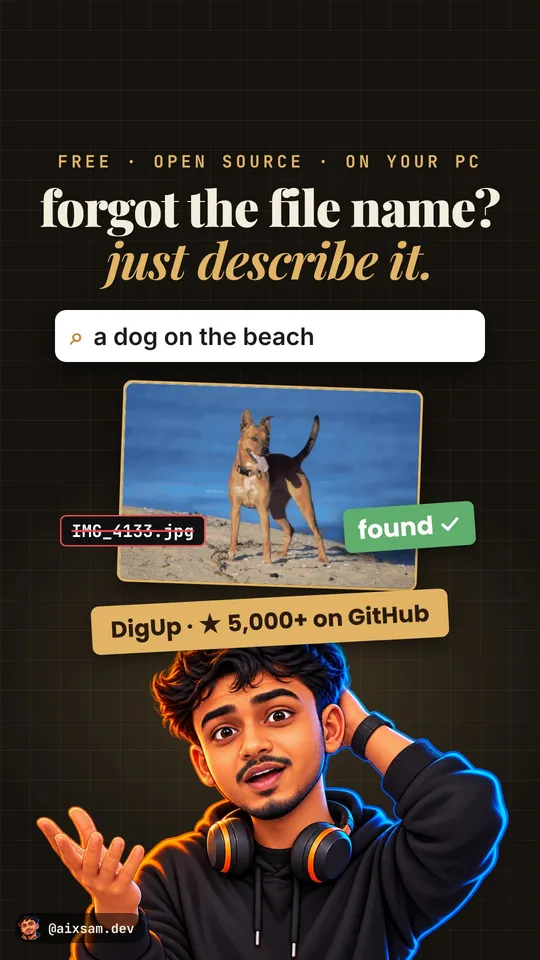
Forgot what a file is called? Describe what's in it instead. Type "a dog on the beach" and DigUp finds the photo, "the clause about pets in the lease" opens the PDF at the right page, and "zebra in a video" opens the video at the moment the zebra shows up. Free, open source, and it all runs on your computer.
What is DigUp?
DigUp is a free, open-source (MIT) app by GitHub user ARahim3 that searches the files on your computer by what's in them: photos, PDFs, documents, recordings, videos and, if you turn it on, code. It runs on Mac, with Windows and Linux in beta. No account, no telemetry.
It's built on Google DeepMind's EmbeddingGemma 2, an open AI model (740M parameters, 100+ languages) that puts text, images, audio and video in one shared space, so the words "a dog on the beach" land next to a photo of a dog on a beach. DigUp runs it on your computer with llama.cpp.
Exact words count too: invoice numbers, error codes and names are matched as written, so one search gets both the meaning and the exact string. Nothing you index leaves your computer; it only goes online to download the model once and to check for updates (you can turn that off).
What DigUp can do
- Find photos by what they show: "a dog on the beach", or a screenshot by its error text (Mac).
- Open PDFs at the page "the clause about pets in the lease" opens page 4. Scanned PDFs too, up to 5,000 pages a file.
- Jump into videos "zebra in a video" opens the clip at the moment the zebra shows up.
- Search recordings podcasts and voice notes of any length: "where they talk about sleep" jumps to that minute.
- Cross languages an English search can find a note written in Bengali, Arabic or 100+ other languages.
- Search your code opt-in:
code: retry a failed call with backoffopens the function in your editor.
What you need
- A Mac with Apple Silicon (M1 or newer) on macOS 14 or later, or 64-bit Windows 10/11, or 64-bit Linux (Ubuntu 22.04, Debian 12, Mint 21 or newer, Intel/AMD).
- About 1 GB free for the AI model (an 865 MB download, once) plus the app.
- Some patience for the first scan: a few minutes for a few hundred files on a Mac, up to an hour for a big Downloads folder. On a Windows/Linux PC without a fast graphics card a big photo library can take hours. DigUp shows the estimate before it starts.
Setup, step by stepcopy each command with the button on the right
Mac
Download the DMG from the latest release and drag DigUp to Applications. Or, with Homebrew:
brew install --cask arahim3/tap/digupWindows
Download DigUp_x.y.z_x64-setup.exe from the beta release and run it. It installs just for you, no admin rights needed. The installer isn't signed yet, so if Windows says it doesn't recognise the app, click More info → Run anyway.
Linux
On Ubuntu, Debian, Mint and the like, download the .deb from the beta release and install it (the package is called
dig-up):sudo apt install ./DigUp_x.y.z_amd64.debOn any other distro, download the AppImage, make it executable and run it.
Open DigUp
It starts downloading the AI model (865 MB, only once). Meanwhile, choose the folders to search: whole folders like Pictures, Documents or Downloads, or only some of their subfolders.
Let the first scan run
DigUp shows how long the first pass will take for each folder, measured on your computer. You can pause it from the menu bar (Mac) or tray (Windows/Linux). After that, a new file is searchable a few seconds after it lands.
Press the shortcut
⇧⌘Space on a Mac, Ctrl+Shift+Space on Windows and Linux, then describe what you're looking for in your own words: "a dog on the beach", "where they talk about sleep", "payment declined error".
Open the result
Enter opens it: PDFs at the page, recordings and videos at the moment. Space shows a big preview, ⌘↩ / Ctrl+Enter shows it in Finder or Explorer, and ⌘O / Ctrl+O opens the same search in a bigger window with a picture grid and filters.
Search your code (optional)
Turn on code search in Settings → Code for the projects you pick, then start a search with
code:, likecode: retry a failed call with backoff. Results open in your editor at the line (VS Code, Cursor, Zed, JetBrains and more).
How to remove it
Mac: quit DigUp, delete DigUp.app and the folder ~/Library/Application Support/DigUp (the model and index). With Homebrew:
brew uninstall --cask --zap digupWindows: Settings → Apps → DigUp → Uninstall, and tick "Delete the application data" to remove the model and index too.
Linux:
sudo apt remove dig-up(or delete the AppImage), then delete ~/.local/share/digup.
Heads up: Windows and Linux are still in beta: they don't read the text inside screenshots yet, and old .doc files, RAW photos and SVGs are only read on a Mac. Languages written without spaces (Chinese, Japanese, Thai) don't get exact-word matching. DigUp only reads the folders you pick; it never changes, moves or uploads your files, and it skips keys, password files, hidden folders and cloud-only files.
Stuck?
The shortcut does nothing (Linux)
On GNOME and KDE under Wayland, DigUp adds Ctrl+Shift+Space to the desktop's keyboard settings during setup; change it there. On other Wayland desktops, Settings shows the command to bind to a shortcut of your own. On GNOME the tray icon needs the AppIndicator extension (Ubuntu has it).
A video or PDF opens from the start
Videos open at the moment in QuickTime or IINA on a Mac, and in VLC, mpv or MPC-HC on Windows/Linux. PDFs open at the page in viewers that accept a page number (Edge, Chrome, Firefox, Acrobat, SumatraPDF, Evince, Okular). Other apps open the file from the start; the big preview (Space) always plays from the moment.
The first scan is taking forever
That's normal for big folders, especially on a PC without a fast graphics card (a picture takes a few seconds on the processor). Start with one folder, pause from the tray when you need the computer, and add more folders later.
Questions people ask
Is DigUp free?
Yes. It's open source under the MIT licence, with no account and no paid plan. The author takes optional donations.
Does it upload my files?
No. Everything is indexed and searched on your computer. It goes online only to download the AI model once and to check for updates, and that check sends nothing about your files.
How is it different from Spotlight or Windows Search?
Those find files by name, text and metadata. DigUp also finds them by what they show or say, and takes you to the page or moment. They work fine side by side.
Why is the download 865 MB?
That's the AI model: the text part (310 MB) and the image and audio parts (555 MB). The app itself is about 20 MB on a Mac.
Will it slow my computer down?
Only the first scan is heavy. After that it reads new files only, and the model runs in a separate process that quits when it's done.
Does it work on an Intel Mac?
No. The Mac app needs Apple Silicon (M1 or newer) and macOS 14 or later.
Still stuck?
DM me on Instagram with your system (Mac, Windows or Linux), a screenshot of the error and which step you're on.
DM @aixsamdev